A free Google Analytics Campaign URL Builder for tagging links with UTM parameters. Paste a destination URL, fill in source and medium, and copy the tracked link. The output uses the same parameter convention that ga4 and Google Ads expect, so your data lands in the right reports.
What each UTM parameter does
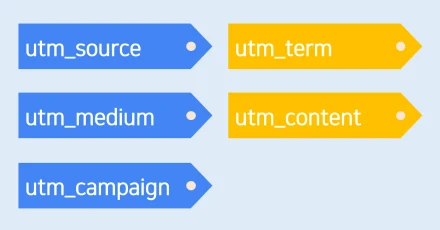
utm_source identifies the referrer (newsletter, twitter, partnerblog). utm_medium describes the channel category (email, social, cpc). utm_campaign names the campaign itself (spring_sale, launch_2026). utm_content distinguishes creative variants in A/B tests. utm_term records the keyword for paid search. Source, medium, and campaign are required by GA4 to attribute the visit; the rest are optional but useful.
Common mistakes to avoid
Use lowercase consistently — GA4 treats Email and email as separate sources, fragmenting your data. Avoid spaces; use underscores or hyphens. Do not tag internal links between pages of your own site, since that overwrites the original campaign attribution. Always test the final link in an incognito window before sending.
FAQ
- Will this URL still work without GA installed?
- Yes. UTM parameters are just query strings. The destination page renders normally; only your analytics tool reads the tags.
- Can I shorten the result?
- Run it through any URL shortener (bit.ly, etc.). The redirect preserves the UTM parameters, so attribution still works.